

Quick Answer:
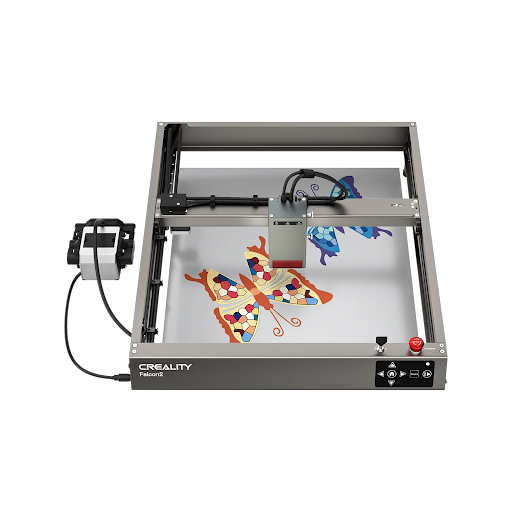
The best desktop Laser Cutter for UK makers depends on your material and workspace. Choose an enclosed diode laser like xTool S1 for home crafting and engraving, a CO2 desktop laser like OMTech Polar or K40 Plus for acrylic and thicker cutting, or Creality Falcon2 40W for strong value and open-frame diode performance.
What Is a Desktop Laser Cutter?
A desktop laser cutter is a compact machine that uses a focused laser beam to cut, engrave, or mark materials such as wood, leather, card, coated metal, and some types of acrylic.
For UK makers, it can turn a spare-room studio, school workshop, or small business bench into a practical digital fabrication setup.
Most desktop machines fall into two main groups:
- Diode lasers
Smaller, cheaper, and easier to maintain. - CO2 lasers
More expensive, but better for clear acrylic, faster cutting, and thicker sheet materials.
How Do Diode and CO2 Desktop Laser Cutters Compare?
| Laser type | Best for | Main limits | Typical UK user |
| Diode laser | Wood engraving, leather, card, dark acrylic, coated metal marking | Poor performance on clear acrylic; slower cutting than CO2 | Hobbyists, Etsy sellers, craft studios |
| CO2 laser | Acrylic, plywood, MDF, leather, signage, batch cutting | Higher cost, more ventilation needs, larger footprint | Small businesses, schools, workshops |
| IR or fibre laser | Metal marking and engraving | Not usually ideal for wood or acrylic cutting | Jewellery, tools, metal tags |
If your main projects are wooden gifts, leather patches, painted tumblers, and small signs, a diode laser is usually enough.
If your projects involve clear acrylic, thicker plywood, signage, or production batches, a CO2 laser is the stronger long-term choice.
Which Desktop Laser Cutter Brands Are Worth Considering in the UK?
xTool S1
Why Choose This Product:
xTool S1 is a strong choice for UK home users who want an enclosed diode laser with beginner-friendly software and safety-focused design.
The xTool S1 Enclosed Diode Laser Cutter is better suited to a UK home or studio setup than older open-frame diode machines.
xTool lists the S1 as an enclosed diode laser cutter with 20W and 40W options, XCS and LightBurn support, and a larger working area than many entry-level craft lasers.
It is a good fit for personalised gifts, wooden ornaments, leather accessories, batch engraving, and small business products.
The enclosed design also makes it easier to manage smoke and reflections when paired with proper extraction.
| Key point | xTool S1 |
| Laser type | Enclosed diode laser |
| Power options | 20W and 40W options listed by xTool UK |
| Software | xTool Creative Space and LightBurn |
| Best for | Home crafting, engraving, wood, leather, coated metal marking |
| Watch out for | Clear acrylic cutting is still a CO2 laser job |
OMTech K40 Plus or OMTech Polar
Why Choose This Product:
OMTech is the better route if your UK projects need CO2 cutting performance, especially for acrylic, plywood, MDF, and signage.
OMTech UK sells several CO2 laser machines, including desktop models and larger workshop systems.
Its UK CO2 laser collection includes a 40W K40 Plus with a 300 x 200 mm engraving area and Polar models with larger 500 mm-class work areas.
A CO2 laser is the right upgrade if you want cleaner acrylic cutting, faster sheet processing, or more reliable cutting through thicker materials.
These machines need more planning than diode lasers. Ventilation, cooling, mirrors, alignment, and maintenance all matter.
| Key point | OMTech desktop CO2 |
| Laser type | CO2 laser |
| Example models | K40 Plus, Polar, Polar+ |
| Best for | Acrylic, plywood, MDF, signs, batch production |
| Watch out for | Needs stronger extraction and more setup knowledge |
Creality Falcon2 40W
Why Choose This Product:
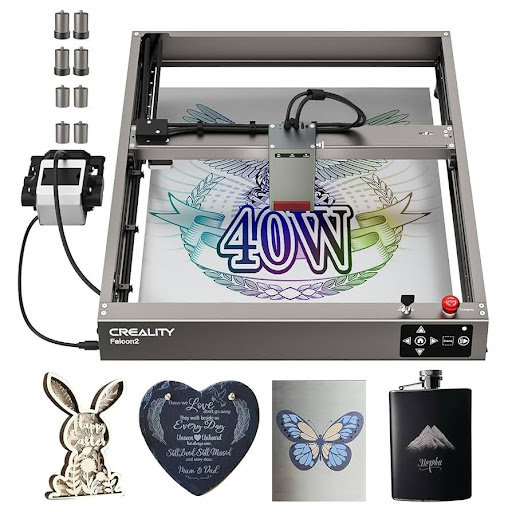
Creality Falcon2 40W offers high diode-laser power and good value for UK makers who are comfortable with an open-frame machine.
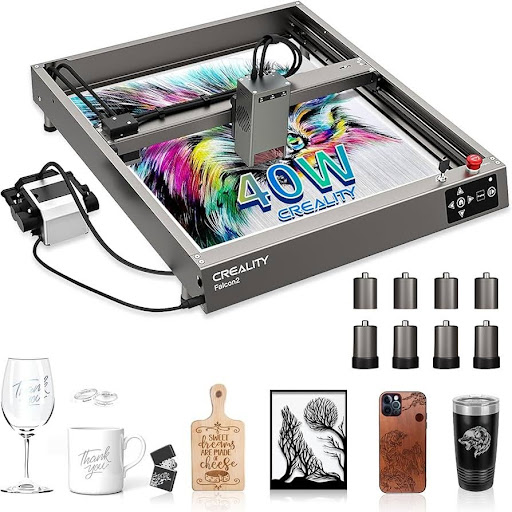
The Creality Falcon2 40W Laser Engraver & Cutter is listed by Creality UK with 40W laser power, 25,000 mm/min maximum speed, LightBurn and LaserGRBL support, integrated air assist, airflow monitoring, and lens monitoring.
It is a practical option for users who want stronger diode cutting power without moving to CO2.
It can handle many wood, leather, card, and dark acrylic projects, but it still has the usual diode-laser limits on transparent acrylic and true metal engraving.
| Key point | Creality Falcon2 40W |
| Laser type | Open-frame diode laser |
| Laser power | 40W listed by Creality UK |
| Software | LightBurn and LaserGRBL |
| Best for | Wood, leather, card, stronger diode cutting |
| Watch out for | Open-frame setup needs extra safety enclosure and extraction |
What Safety Features Matter for UK Home Workshops?
Laser safety is not optional. A desktop laser can produce smoke, invisible fumes, fire risk, and eye hazards.
UK users should prioritise:
- Enclosure
- Proper extraction
- Air assist
- Flame detection or emergency stop features
- Laser-rated eye protection suitable for the laser wavelength
For home use, an enclosed Class 1-style machine is usually easier to manage than an open-frame laser.
If you buy an open-frame machine, budget for an enclosure and extraction from day one.
| Safety item | Why it matters |
| Enclosure | Reduces exposure to laser reflections and smoke |
| Fume extraction | Removes wood smoke, acrylic fumes, and particulates |
| Air assist | Improves cut quality and lowers flare-up risk |
| Honeycomb bed | Supports cleaner cuts and reduces back reflections |
| Fire monitoring | Helps reduce risk during unattended moments |
| Correct goggles | Protects against the specific laser wavelength |
Never leave a laser cutter running unattended.
Wood, MDF, card, and leather can ignite if settings, focus, or airflow are wrong.
What Materials Can a Desktop Laser Cutter Handle?
Material compatibility depends on laser type, power, colour, thickness, and airflow.
A safe buyer’s guide should avoid universal claims like “cuts acrylic” or “engraves metal” without explaining the limits.
| Material | Diode laser | CO2 laser | Notes |
| Plywood | Good for thin sheets | Better for thicker sheets | Glue quality affects results |
| MDF | Possible, but smoky | Good with extraction | Needs strong ventilation |
| Leather | Good | Good | Avoid unknown synthetic leather |
| Clear acrylic | Poor | Good | CO2 is the better choice |
| Dark acrylic | Often possible | Good | Test first |
| Stainless steel | Marking only with coating or special module | Marking usually needs coating | Fibre or IR is better for true metal work |
| PVC or vinyl | Do not cut | Do not cut | Releases corrosive and toxic gas |
How Should UK Buyers Choose the Right Machine?
Start with your main material, not the brand.
If 80% of your work is wood engraving and personalised gifts, an enclosed diode laser is the most sensible first machine.
If 80% of your work is acrylic signage or thicker sheet cutting, choose CO2.
Then check the practical details:
- UK stock
- Warranty
- Replacement parts
- Software support
- Ventilation route
- Machine footprint
- Whether your workspace can handle smoke and noise
| User type | Best fit |
| Beginner crafter | xTool S1 20W |
| Home business engraving gifts | xTool S1 40W or Creality Falcon2 40W with enclosure |
| Acrylic signage seller | OMTech Polar or other desktop CO2 |
| School or shared workshop | Enclosed laser with strong extraction and safety controls |
| Metal marking user | IR/fibre laser, not a standard diode or CO2 cutter |
What Accessories Should You Buy With a Desktop Laser Cutter?
A laser cutter is rarely complete as a machine-only purchase.
The right accessories improve cut quality, safety, and workflow.
| Accessory | Priority | Why it helps |
| Fume extractor or external ventilation | Essential | Removes smoke and fumes |
| Air assist | Essential for cutting | Cleaner edges and lower flame risk |
| Honeycomb bed | Essential for sheet cutting | Reduces scorching and improves airflow |
| Rotary attachment | Optional | Engraves tumblers, bottles, and cylinders |
| Spare lenses or protective windows | Useful | Keeps performance stable |
| Material test pack | Useful | Helps dial in speed and power settings |
FAQ
Can a desktop laser cutter cut acrylic?
Yes, but the laser type matters.
CO2 lasers are the better choice for clear acrylic. Diode lasers can often cut dark or opaque acrylic, but they usually struggle with clear, blue, or lightly coloured acrylic.
Is a diode laser or CO2 laser better for wood?
Both can work well on wood.
A diode laser is cheaper and easier for engraving, while a CO2 laser is faster and better for repeated cutting, thicker plywood, and production work.
Do I need fume extraction for a laser cutter in the UK?
Yes.
Laser cutting produces smoke and fumes, especially from MDF, plywood, leather, and acrylic. A UK home or studio setup should use external ventilation or a suitable fume extraction system.
Can a desktop laser cutter engrave metal?
Standard diode and CO2 lasers usually mark coated metals, anodised aluminium, or metal treated with marking spray.
For deeper or more reliable metal engraving, use an IR or fibre laser.
What software do desktop laser cutters use?
Many desktop laser cutters support LightBurn.
Some brands also provide their own software, such as xTool Creative Space for xTool machines. Creality lists LightBurn and LaserGRBL support for Falcon2 40W.
What is the best desktop laser cutter for a UK beginner?
For most beginners, an enclosed diode laser such as xTool S1 is easier to manage than an open-frame machine.
It reduces safety complexity and is well suited to wood, leather, card, and gift engraving.
Conclusion
The best desktop laser cutter UK makers should buy in 2026 depends on the work they actually plan to sell or make.
Choose xTool S1 if you want a safer, beginner-friendly enclosed diode laser.
Choose OMTech if acrylic and thicker material cutting are central to your projects.
Choose Creality Falcon2 40W if you want strong diode power at a more accessible price, and you are prepared to add proper enclosure and extraction.
For most UK home users, safety, ventilation, and material compatibility matter more than headline wattage.
Buy the machine that matches your materials first, then build the workspace around it.
