
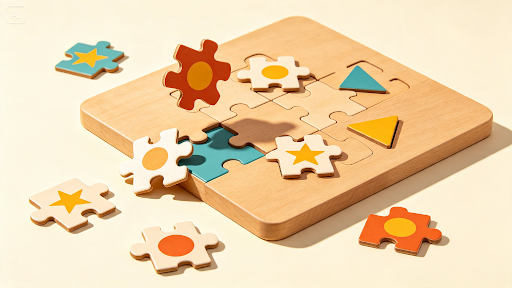

There’s a specific visual satisfaction in a puzzle image — pieces that look like they could be picked up and rearranged, a composition that seems to invite the eye to keep searching. Creating that illusion convincingly in a still image takes more than just drawing shapes with jagged edges; it requires real attention to depth, shadow, and dimensional logic.
An advanced AI image maker makes exploring this style far more accessible, and Dreamina is particularly good at rendering puzzle artwork with enough convincing depth that it feels tactile even though it’s completely static.
Here’s how to design a puzzle image people want to reach out and touch.
What makes a puzzle image look interactive even when it’s still
The illusion of interactivity comes almost entirely from depth cues — cast shadows beneath pieces, slight offsets suggesting movement, highlights that imply a glossy or tactile surface. Without these cues, even a technically accurate puzzle shape reads as flat rather than genuinely dimensional.
Choosing a puzzle type worth illustrating
Different puzzle formats offer different visual opportunities.
- Jigsaw pieces suggest interlocking complexity and satisfying fit
- Sliding tile puzzles suggest motion and partial completion
- Geometric assembly puzzles suggest precision and mathematical elegance
Make every piece feel like part of the same puzzle
Consistency matters when a puzzle contains multiple shapes, materials, or layers. Keep the piece proportions, edge details, surface texture, and lighting style consistent so the composition feels physically connected.
You can also introduce subtle variations in orientation or height to create movement without making the arrangement look chaotic.
Create puzzles with a visual story
A puzzle becomes more engaging when the completed image suggests an idea beyond simple assembly. Try building scenes from pieces, revealing a hidden pattern underneath, or arranging fragments around a central object.
These concepts give viewers something to discover while preserving the satisfying sense of pieces gradually coming together.
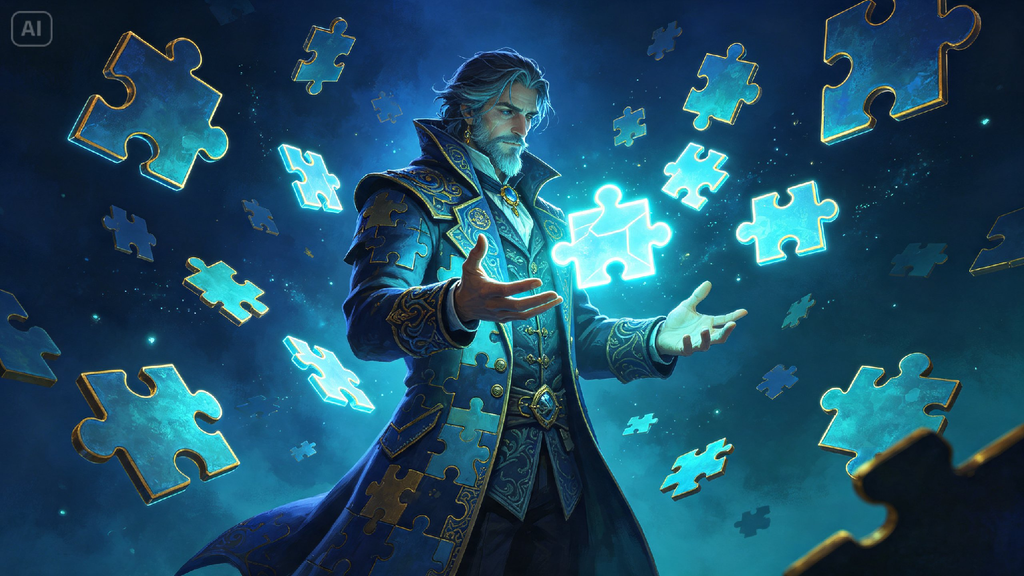
Designing pieces that feel tactile and dimensional
Beyond shape, material choice adds enormous believability. Describing pieces as glossy, matte, glowing, or textured gives Dreamina clear direction for how light should interact with each surface, which is often what sells the illusion of physical depth more than the shape itself.
Build a puzzle visual in three moves
Dreamina makes exploring this dimensional style genuinely fast to experiment with.
Step 1: Write a text prompt description
Head to Dreamina and describe your puzzle concept in detail, including piece shape, material, and lighting. Add a reference image if you have a specific puzzle style in mind.
For example: An interactive-looking puzzle artwork illustration of a person dressed as a puzzle master rotating a floating sliding-tile puzzle, dramatic dimensional lighting, highly detailed digital art style.
Step 2: Adjust parameters and generate
Select Image 5.0 Pro, powered by Seedream 5.0 Pro, for convincing shadow and depth rendering across complex geometric shapes, then set your aspect ratio, canvas size, and resolution — 1K for quick previews, 2K for detailed final artwork. Click the generate icon to render your piece.
Step 3: Customize and download
Refine the result using Dreamina’s tools: inpaint to adjust specific piece details or shadows, expand to reveal more of the puzzle composition, remove to eliminate anything that flattens the illusion, and retouch for a final dimensional finish. Once it’s ready, click Download.
Dreamina’s creativity shines with its image generation
Dreamina gives creators access to a handful of image generation models, and puzzle-style artwork benefits noticeably from Seedream 5.0 Pro, the newest and most capable option currently available. Its strength in rendering consistent lighting and realistic shadow behavior across complex, layered geometric shapes is exactly what separates a genuinely convincing puzzle illusion from a flat, cartoonish one.
Nano Banana offers quicker generation for testing rough compositions before investing time in a fully polished version, while GPT Image 2 handles prompts describing several interlocking pieces or a specific arrangement closely, useful for denser puzzle compositions.
Using shadow and depth to suggest movable pieces
A slight gap between pieces, paired with a soft shadow cast onto the surface below, does more to suggest interactivity than almost any other single detail. Even a small, consistent shadow treatment across every piece meaningfully strengthens the overall illusion.
Balancing complexity with visual clarity
A puzzle image with too many pieces or too much detail can become visually overwhelming rather than intriguing. Keeping the composition focused on a manageable number of clearly defined pieces usually produces a stronger, more satisfying result than an overly dense scene.
Turning a single puzzle into a themed series
Once you’ve found a style that works, generating several puzzle images around a shared theme — different geometric shapes, a consistent color palette, a recurring material style — creates a cohesive collection rather than a single standalone piece.
Where puzzle artwork gets shared and used
This kind of visually satisfying imagery performs particularly well in:
- Social media posts designed around visual curiosity
- App icons and marketing for puzzle games
- Educational content about logic and problem-solving
- Gallery-style prints for modern, geometric decor
Make the eye want to keep looking
The best puzzle imagery invites a second look, even after the viewer realizes nothing is actually moving. With Dreamina and the dimensional precision of Seedream 5.0 Pro, designing that kind of genuinely tactile illusion takes minutes, and it’s free to start experimenting with your first puzzle concept today.
