

Creating high-quality covers has traditionally required recording equipment, editing software, and technical expertise. For many creators and businesses, this process can be time-consuming and costly. However, artificial intelligence is changing the landscape, making it easier to produce professional-level results with minimal effort.
Today, platforms like InsMelo allow users to generate and transform audio using AI-powered tools. In this guide, we’ll walk through how you can create professional covers using AI, even if you have no prior experience.
Why Use AI for Covers?
AI tools simplify the production process by automating key steps such as voice transformation, pitch adjustment, and sound processing. This allows creators to focus more on creativity and less on technical work.
By using an advanced AI song generator, users can quickly create structured compositions or enhance existing audio without relying on complex tools.
Step 1: Choose the Right AI Platform
The first step is selecting a reliable AI tool that offers both flexibility and ease of use. InsMelo is designed to support creators at all levels, providing a streamlined workflow for generating and transforming audio.
Its integrated features make it possible to create professional-quality covers without switching between multiple tools.
Step 2: Upload or Select Your Track
Once you’re on the platform, the next step is to upload the track you want to transform. This could be an existing piece or a composition you’ve created using AI.
Make sure the input audio is clear, as this will directly impact the quality of the final output.
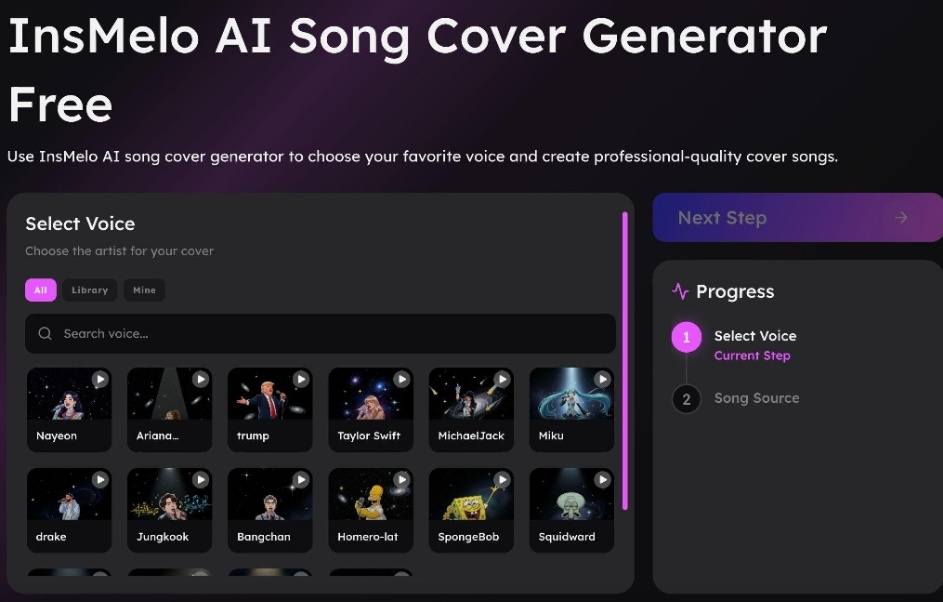
Step 3: Use the AI Cover Generator
After uploading your track, you can use the AI song cover generator feature to create a new version.
This tool allows you to:
- Apply different voice styles
- Modify tone and delivery
- Experiment with creative variations
The AI processes the original input and generates a new version based on your selected preferences. This removes the need for manual recording or complex editing.
Step 4: Customize the Output
To achieve a more professional result, take time to refine your output. Adjust elements such as:
- Voice tone and pitch
- Style and mood
- Overall balance and clarity
These refinements can significantly improve the final result and make your cover sound polished and engaging.
Step 5: Review and Export
Once you’re satisfied with the output, review it carefully. Listen for consistency, clarity, and overall quality.
After that, export the final version and use it for your intended purpose, whether it’s for content creation, marketing, or personal use.
Practical Use Cases
AI-generated covers are now widely used across different fields:
- Content Creation: Influencers create engaging videos with unique covers
- Marketing: Businesses develop customized audio for campaigns
- Entertainment: Creators experiment with different styles
- Learning: Beginners explore creative tools without technical barriers
This flexibility makes AI tools valuable for both individuals and businesses.
Benefits of Using InsMelo
Using InsMelo offers several advantages:
- Time Efficiency: Create covers in minutes
- Cost Savings: No need for expensive equipment
- Ease of Use: Beginner-friendly interface
- Creative Freedom: Experiment with different styles
By combining multiple features into one platform, InsMelo simplifies the entire workflow.
Final Thoughts
Artificial intelligence is transforming how creative content is produced. Tools like InsMelo make it possible to create professional covers quickly and efficiently without advanced technical knowledge.
By using features like the AI song generator and the AI song cover generator, creators can turn ideas into polished results with ease.
As AI continues to evolve, it will play an even bigger role in shaping the future of digital creativity.
